Pay by phone bill at UK casinos: how deposits work
 Available in GB
Payforit routes a casino deposit through a mobile account, adding it to a contract bill or deducting it from prepaid credit.

Table of Contents
- Using a Phone Bill to Fund Mobile Casino Play
- How Payforit and Boku Deposits Work
- Payforit Limits, Charges and Withdrawal Restrictions
- Checking Whether a Casino Accepts Phone-Bill Deposits
- Mobile Slots and Payforit Promotions
- Phone-Bill Payments Compared with Other Deposit Methods
- What to Check with Your Mobile Network
- Confirming Phone-Bill Payment in the Casino Cashier
- What Phone-Bill Funding Means for Slot Play
- Topping Up Safely Before You Play
Using a Phone Bill to Fund Mobile Casino Play
Payforit lets you fund a casino account through the mobile phone connection attached to your number. Rather than using a bank card at the point of deposit, the amount is assigned to your mobile account: on a monthly contract, it is added to a future phone bill; on Pay as you Go, it is taken from the prepaid balance. That is what people mean by paying by phone bill or pay by mobile.
The distinction matters because the payment does not come from the same place for every player. If you have a contract phone, the casino deposit becomes part of what your network bills you for later. If you use a prepaid service, the deposit reduces credit already loaded onto the phone. In either case, Payforit connects the casino payment to the mobile account rather than to a separate bank balance or card.
This can make a phone-bill deposit feel like an extension of using your phone, but it is still a gambling payment. The amount is not simply a charge for mobile data or access to a casino. It is money being transferred into your casino account and then used for play. Keep that distinction clear when you review what is due on your phone account or how much prepaid credit remains.
Why Payforit is tied to mobile play
Payforit is generally intended for players accessing a casino on a mobile device. The payment depends on a mobile number and the associated phone account, so it fits naturally into a mobile casino visit. You may be browsing casino games on a phone and want the deposit to draw on the same device’s billing arrangement.
That does not mean every casino site or every account will offer Payforit. Availability is determined by the operator and can vary. A phone capable of accessing a casino does not, by itself, guarantee that a phone-bill deposit option will appear. Treat Payforit as a specific payment route for mobile use, not as a feature built into every online casino.

The mobile context also helps explain why the method may be less relevant when you play on a desktop computer. A desktop session is not normally connected to the phone account in the same direct way. Payforit relies on the mobile number and the billing or prepaid-credit arrangement behind it, so it is generally reserved for mobile players. If you move between a phone and a computer, remember that the device you use to play and the route you use to deposit are related but not identical choices.
Searching for a mobile casino that accepts payment from a phone bill can bring up two separate questions: whether the casino works on your phone, and whether its cashier offers Payforit for your account. The first concerns access to the site and games; the second concerns how you can fund the account. Do not assume one answer settles the other.
Contract billing and prepaid credit
With a monthly contract, the Payforit deposit is added to a later phone bill. It may therefore be easy to overlook the gambling spend if you think only about the immediate moment of play. The charge does not disappear because it is collected with other mobile charges; it remains a cost you need to account for when the bill is due.
With Pay as you Go, the deposit comes out of prepaid credit. That means the available balance on the phone is relevant before you try to use this route. A deposit draws on credit already held with the mobile account, rather than being added to a future contract bill. If the balance is not available, the payment cannot be treated as though it were funded by a bank account instead.
These arrangements can suit different ways of managing spending, but neither changes the nature of the deposit. Contract billing postpones collection until the phone bill; prepaid credit uses money already loaded onto the account. Consider which balance is being used and whether you can afford the spend, rather than treating the payment as separate from your other costs.
Attention: A phone-bill deposit is a gambling payment transferred into your casino account, not a charge for mobile data or access.
A phone-bill casino deposit is also different from paying the monthly cost of the handset or mobile service itself. The casino charge is connected to your phone account as a payment channel, but it funds gambling rather than a phone plan. Keeping those expenses distinct can help you understand what a later bill or remaining prepaid balance represents.
If you are looking for mobile casinos that take payment by phone bill in the UK, focus on the cashier’s stated options for your own account. Payforit’s mobile orientation explains where the method fits, but it does not establish that a particular operator supports it or that your network arrangement will allow the charge. Before treating phone billing as a way to fund play, be clear whether the payment would be added to a contract bill or taken from prepaid credit, and check that the casino actually presents Payforit as an available option.
How Payforit and Boku Deposits Work
A casino deposit by phone bill involves a confirmation on your mobile, but the screens and checks depend on the payment option. Payforit asks you to enter a mobile number and submit a code sent by SMS. Boku also requires confirmation by SMS before the funds move, but its transaction depends on having enough phone credit to cover both the deposit and any network fee. Treat the two services as separate methods rather than assuming their steps are interchangeable.
Confirming a Payforit deposit
If Payforit appears as an option in the casino cashier, select it and enter the mobile number you want to use. Check the number carefully: the confirmation message must reach that phone. Payforit then sends an SMS containing a confirmation code. Enter the code in the casino’s payment flow and submit it to confirm the deposit.
The code is part of the payment authorisation, not just a notification that you have started the process. Until you submit it, the transaction has not completed through that confirmation step. If the message does not arrive, avoid repeatedly starting new deposits; first check that you entered the right number and that the phone can receive messages. If the payment screen gives you a way to return or cancel, use the on-screen instructions rather than guessing whether a request is still pending.
Before entering the code, read the payment details shown on screen and make sure they match the deposit you intend to make. Keep the confirmation message until you can see whether the casino balance has changed. If the balance does not update, check the cashier or account transaction history before trying again. This helps you distinguish a delayed display from an unsuccessful payment and reduces the risk of submitting another request while the first one is unresolved.
Payforit’s confirmation is tied to the mobile number entered for that transaction. A code sent to one phone should not be treated as confirmation for another number or a separate payment. Keep the message private and enter it only in the payment flow you started. If you did not request the deposit, do not submit the code.
Confirming Payforit
Choose Payforit in the casino cashier and enter the mobile number you wish to use.
Wait for an SMS containing a confirmation code to be sent to that mobile number.
Enter the received code into the casino’s payment flow and submit it to complete the transaction.
Confirming a Boku deposit
Boku has its own SMS confirmation step. After you choose Boku and begin a deposit, you must confirm the transaction by SMS before the funds move. Follow the instructions shown for that particular payment rather than assuming it uses Payforit’s code-entry process. The important distinction is that a Boku payment still needs your confirmation; simply starting the deposit does not move the funds.
Check that the amount displayed is the one you meant to request. Then read any message about the charge before confirming. If the instructions are unclear, stop and check the cashier or the payment information provided by the casino instead of approving a transaction you cannot identify. Once you have confirmed, check your casino balance and transaction history so you can see whether the deposit was recorded.
Phone credit must be sufficient for the deposit amount and any applicable network fee. A payment can fail if the available credit does not cover the full charge. On a monthly phone account, the cost may instead be handled through the bill, but the payment still depends on the terms attached to that mobile account. Do not assume that the amount shown as the deposit is necessarily the full amount taken from your available credit or account.

A mobile network may add a processing fee to a Boku transaction, and the charge can vary with the network and tariff. Payment-method guidance notes this possibility, but it does not give one fee that applies to every customer. Check the amount or fee information displayed during the transaction and, if needed, consult your network’s tariff details before confirming. If the full cost is not clear, leave the transaction unconfirmed until you have checked.
If a confirmation does not complete
An SMS confirmation is a deliberate step, so do not treat a missing message or an unchanged balance as proof that the payment has failed. Check the instructions on the screen and the account’s transaction history first. Avoid starting another deposit while you cannot tell whether the earlier request is still active.
If you receive a confirmation message for a payment you did not initiate, do not approve it. If you have submitted a code or confirmed a Boku transaction but cannot see the deposit recorded, use the casino’s support route with the transaction details available to you. This keeps the issue linked to the specific payment rather than risking duplicate attempts.
For either service, the safest sequence is simple: select the method shown in the cashier, check the requested amount and any stated charges, confirm only the transaction you initiated, then verify the result in your account. Payforit uses a code sent to the mobile number you enter; Boku requires an SMS confirmation and enough phone credit to cover the deposit plus any network fee.
- Check requested amounts and fees before confirming
- Verify the result in your account transaction history
- Use the casino’s support route for unresolved payments
- Start multiple deposits if the SMS is delayed
- Approve confirmation messages you did not initiate
- Assume Boku and Payforit steps are interchangeable
Payforit Limits, Charges and Withdrawal Restrictions
Payforit can suit a small casino deposit, but it is not a route for moving winnings back to you. Treat it as a deposit-only option: before you add money, check which separate withdrawal method is available to your account and whether you can use it.
Deposit range and transaction cap
Specialist reviews describe Payforit minimum deposits in the £3–£5 range, but the amount offered can differ between casinos. Check the cashier for the minimum that applies to your account rather than assuming that a figure seen elsewhere will be accepted.
The Phone-paid Services Authority sets a £30 cap for a Payforit deposit transaction. That is a per-transaction ceiling, not a promise that a casino will accept a deposit at that value: an operator may set a lower maximum or apply its own account controls. The cashier’s displayed limit is the practical figure to follow. Do not try to work around the cap by splitting a deposit; stay within the stated transaction limit and the casino’s terms.
The amount you choose also needs to fit the payment arrangement attached to your phone. A charge may be added to a monthly bill or taken from prepaid credit, depending on your service. The cashier should show the amount before you confirm. If it does not make the amount or any applicable charge clear, pause and check the operator’s payment terms before proceeding.
Limits and fees are not fixed across every casino or account. A specialist review can help you understand what Payforit is, but it cannot replace the live cashier: deposit settings can change, and the details shown when you are logged in are the ones to check before authorising payment. Keep the displayed amount in mind when setting your own spending limit, so a phone-bill deposit does not leave you relying on a later adjustment to manage your budget.
Why Payforit cannot pay out winnings
Payforit is not a withdrawal method. If you deposit through it and later have a balance to withdraw, you will need another payout route supported by the casino. Do not assume that money can be returned to your phone bill or prepaid balance simply because the deposit came from there.
A specialist review of UK-licensed casinos identifies debit card, bank transfer, PayPal and e-wallets such as Skrill or Neteller among possible withdrawal methods. That does not mean every casino offers each option, or that every method will be available to your account. Use the casino’s current cashier and withdrawal terms to confirm the choices it actually presents. The available route, any limits or fees, and processing information depend on the operator and payment method and can change.
Check the payout route before making a Payforit deposit, not only when you are ready to withdraw. You may need to register or verify the separate payment account, and the casino may ask for identity checks before processing a withdrawal. Make sure the payment account is yours and that the details you provide match the casino account. If you cannot use any of the listed withdrawal options, resolve that before depositing rather than assuming Payforit will cover both directions.
Withdrawal Limit
Payforit is a deposit-only option and cannot be used to withdraw winnings back to your phone bill or prepaid balance.
Some casinos may require a withdrawal to use the same method as the deposit. Since Payforit cannot handle withdrawals, read the operator’s terms to see how it treats a deposit made this way and what alternative payout route it requires. Do not rely on a general statement about casino payments: the rule can differ by operator, and the cashier or account-specific terms are the relevant place to confirm it.
A practical check before you pay
Before confirming, compare the deposit amount with the cashier’s minimum and maximum, note any fee shown, and check that a separate withdrawal method is available to you. If you have already deposited, look in the withdrawal area or contact the operator through its stated support channel to establish what payout route your account can use.
This is particularly important if your preferred route is an e-wallet or bank transfer that you have not yet set up. You may need to complete account verification or provide supporting details before the operator can send funds. A successful Payforit deposit does not confirm that your withdrawal arrangements are ready.
Pay by phone can make a small deposit possible, but it has a clear boundary: the transaction is limited, and the payment method cannot return casino funds to you. Keep the deposit within the displayed cap, confirm any charge before approving it, and have a verified payout route in place before you play.
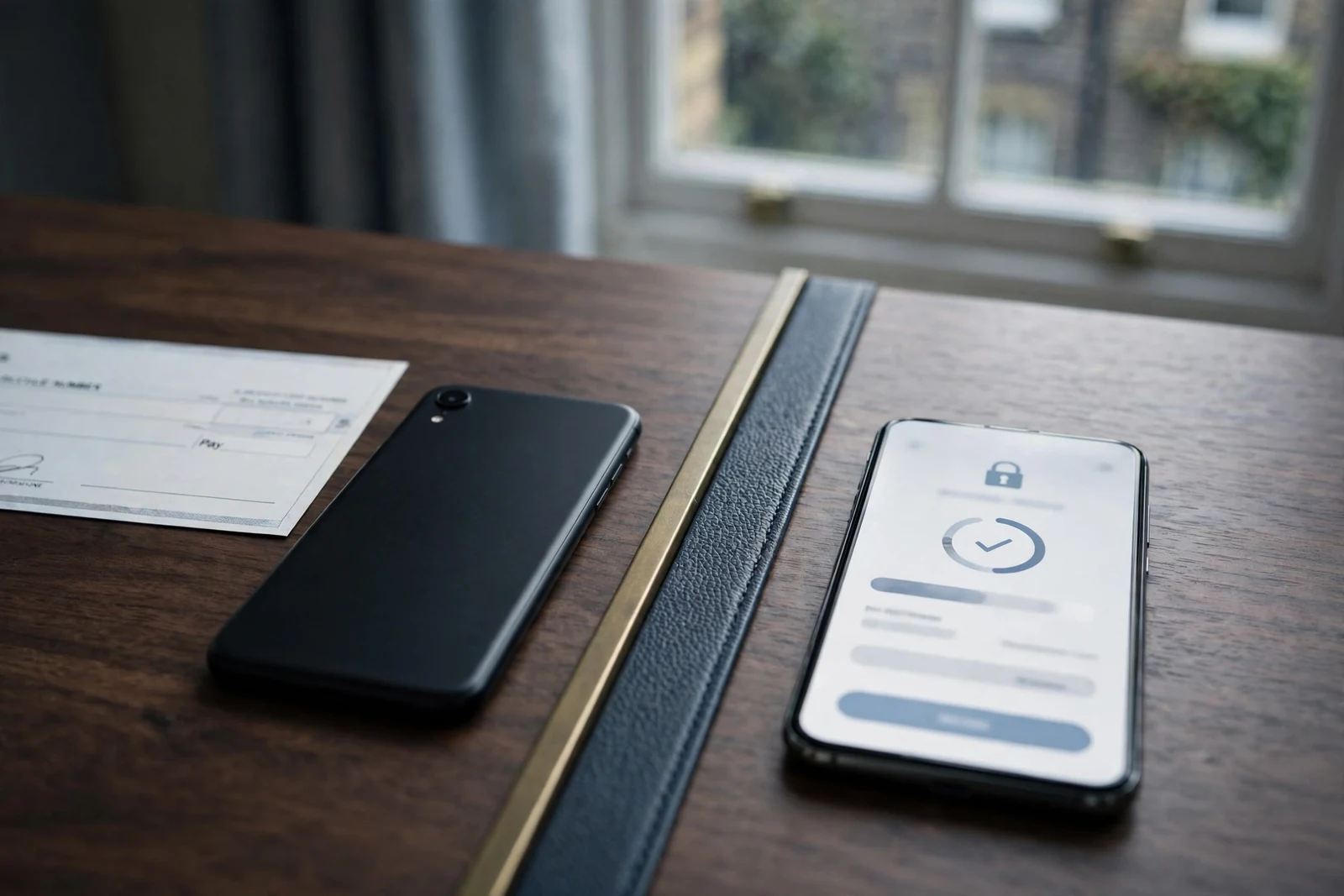
Checking Whether a Casino Accepts Phone-Bill Deposits
A casino may be described as accepting pay by phone, but that does not guarantee Payforit will appear for your account when you are ready to deposit. Payment options can change, and the cashier is the place to confirm what the operator currently offers. Treat older lists and general descriptions as a starting point, not proof that you can use the method.
A specialist review names Kwiff, NetBet, JackpotJoy and Virgin Games as operators where Payforit remains available. These are examples to check, not a ranking or a recommendation. Open the operator’s current cashier and look for Payforit among the deposit methods shown to you. If it is not listed, do not assume that a reference elsewhere means it can be used on your account.
Check the cashier you will actually use
Availability may differ between an operator’s general payment information and the options displayed after you sign in. It can also be different between a website and a casino app. If you intend to play in an app, check the cashier there as well as on the website; an app listing or a general statement about phone payments is not enough to confirm that Payforit is available in that particular route.
Before proceeding, make sure the cashier identifies Payforit itself rather than only a broad category such as mobile payments. Read the terms attached to the option and check the minimum deposit, maximum transaction value and any fees shown. Those details should be visible in the live cashier or the operator’s current payment information, and they may not match an older review.
Payment options can vary between a casino’s website and its mobile app; always check the cashier of the specific platform you are using.
Use only a site serving UK players under a current UK Gambling Commission licence. A familiar operator name does not remove the need to check the licence status or the live payment options. If the operator’s information is unclear, contact its customer support before depositing rather than relying on an old page or assuming that another player’s cashier will look the same as yours.
Avoid treating availability as a promise
A casino that has offered Payforit may later remove it, or the option may not be shown to every account. A review can help you identify operators worth checking, but it cannot confirm what is available at the moment you open your own cashier. The same applies to claims about casino apps: an app may be available while a particular deposit method is not.
Do not deposit by another route on the assumption that you can switch to Payforit later. Confirm the payment option first, then check the conditions shown for your account. If the cashier does not display Payforit, or the terms do not clearly explain the transaction, pause and ask the operator to clarify. That small check can prevent you from choosing a payment route that does not suit your plans.
Mobile Slots and Payforit Promotions
Payforit is generally intended for people playing on a mobile device, so it can suit a session on a phone when you want to fund the casino account through your mobile service. That does not mean it changes how mobile slots work or determines which games you can open. It is a way to make a deposit, not a feature of the games themselves.

Promotions are a separate consideration. A specialist review of UK casino terms reports that most casinos exclude Payforit deposits from welcome bonuses and other promotional offers. Treat that as a reason to read the specific offer conditions, not as confirmation that every operator applies the same rule. The cashier and promotion terms for your account are the places to check before paying in.
If an offer requires a qualifying deposit, check whether Payforit is included as an eligible method. A deposit can reach your balance without counting towards a promotion if the offer excludes that payment type. The same applies to later promotions: eligibility may depend on the conditions attached to that particular offer, so do not assume that a previous deposit qualified.
This distinction matters if you are choosing a payment method specifically to claim a bonus. Check the eligible methods, any stated deposit requirements, and whether the promotion must be activated before depositing. If Payforit is excluded, decide whether you still want to use it for mobile play without the offer. Do not make a deposit on the assumption that a bonus will be added afterwards.
The mobile setting also does not make Payforit a special route into particular slots. Your payment choice concerns how funds enter the casino account; game access and promotional eligibility are separate matters. Check the terms before you start, especially if you are relying on a welcome offer to shape your budget. Set a financial limit before your first deposit, and keep it accessible in your account settings afterwards.
Note: Most casinos exclude Payforit deposits from welcome bonuses and other promotional offers.
Phone-Bill Payments Compared with Other Deposit Methods
Payforit lets you fund casino play through your mobile account, but it is only one option to consider. A specialist review identifies Boku, e-wallets and Paysafecard as alternatives. Their availability is not guaranteed at every casino, so check the operator’s current cashier rather than assuming a method will appear for your account.
The main distinction is where the deposit comes from. With Payforit, the cost is charged to your monthly phone bill or taken from prepaid mobile credit. Boku is another pay-by-mobile option, while an e-wallet uses a separate online account and Paysafecard is a prepaid payment method. These alternatives may suit you if you do not want a casino deposit added to your phone account, but you should compare the available options in the cashier before choosing.
A debit card can be a more broadly usable alternative. A specialist review describes debit-card deposits at UK casinos as free and more widely accepted than Payforit. That is a reported comparison, not a promise about every operator: confirm any charge and whether your card is accepted before you deposit. A debit card is not the same as a credit card. Remote gambling operators in Great Britain cannot accept credit-card payments for gambling, including when the payment is routed through a money service business.
Think about the practical trade-off as well as availability. Payforit may be useful when you want to pay by phone, but it ties the deposit to your mobile account. An e-wallet or prepaid option separates the payment from your phone bill, while a debit card may give you another route where the cashier supports it. None of these labels alone tells you what you can use to withdraw winnings; check the payout options separately before depositing.
For a casino with phone-bill payment in the UK, treat Payforit as a specific cashier option rather than a default. If it is not shown, do not assume that Boku, an e-wallet or Paysafecard will be available instead. Select only a method displayed for your account, and check the terms and any charges shown before confirming.
What to Check with Your Mobile Network
The way a pay-by-phone deposit is charged depends on whether your number is on a monthly contract or pay as you go. With a contract, a Payforit deposit is added to a future phone bill. With pay-as-you-go, the amount comes out of the prepaid credit already on your account. That means the same deposit can affect your finances differently: one increases a bill you will receive later, while the other reduces credit you have already paid for.
Before using Payforit, check how your tariff treats charges made through your mobile account and whether you can see them clearly in your bill or balance history. If you have a monthly contract, consider whether the extra charge fits within the amount you have planned for your next bill. If you use prepaid credit, make sure you are comfortable using that balance for gambling rather than calls or data. Do not assume a charge will be handled like an ordinary card payment.
Impact on Mobile Balance
For monthly contracts, the deposit is added to your future phone bill. For Pay as you Go, the amount is deducted from your existing prepaid credit.
Boku has a separate point to check: a mobile network may add a processing fee, and the amount can vary according to the network and tariff. A specialist review notes that such fees may apply, but that is not a fixed charge you can rely on across providers. Check the terms shown for the transaction and ask your network how charges of this type are handled on your account. For pay-as-you-go, your available credit needs to cover both the deposit and any applicable network fee for the payment to succeed.
A network name alone does not confirm that a casino deposit will work. Support can depend on the casino’s current payment options as well as the terms attached to your mobile account. Treat any general claim about a provider as a prompt to verify, not as confirmation that your own tariff is eligible.
If the charge is unclear, pause before confirming it. Check whether it will appear on your bill or come from prepaid credit, whether a fee is shown, and whether your tariff places conditions on this kind of payment. That gives you a clearer picture of the cost before the casino balance changes.
Confirming Phone-Bill Payment in the Casino Cashier
A payment method mentioned on a casino’s information page may not be available to every player or remain available indefinitely. The cashier shown after you sign in is the practical check: it reflects the options presented for your account at that time. Before relying on pay by phone, open the deposit page and confirm that Payforit appears as a selectable method.
If it is listed, read the details on the same screen rather than assuming the terms match another casino or an earlier visit. Check the minimum deposit, maximum transaction value and any fee before you confirm. Make sure the amount you intend to deposit fits both the displayed limits and the financial controls set on your account. If Payforit is absent, do not assume that a general payment page or an old review means it can be used for your account.
Availability and terms can change, so a saved page or a specialist review may not reflect the live cashier. Treat the operator’s current deposit screen as the place to verify the method and its conditions; if a charge or limit is unclear, ask the operator before proceeding. Do not submit a payment until the amount and any fee are clear.
The cashier is also worth revisiting if you have not deposited for some time. Payment choices, fees and transaction limits may be updated, and information about withdrawal methods or processing can change as well. A specialist review may describe a previous set of terms, but it cannot confirm what your account can use now. Check the operator’s current withdrawal information separately rather than assuming that a deposit option will also handle payouts.
A brief check can prevent a failed transaction or an unexpected charge. Confirm the payment method is actually offered to you, review the displayed minimum, maximum and fees, and make your decision using the terms shown before you authorise the deposit.
What Phone-Bill Funding Means for Slot Play
Pay by phone is a way to add funds to a casino account from a mobile device; it does not provide access to a special set of slots or alter how a game works. Once a deposit has reached your balance, the payment method is separate from the slot session. The games available to you are determined by the casino, not by whether you funded the account through Payforit.
This can suit someone who wants to manage casino play on a phone, but the payment option is only part of the decision. Check that the casino’s current cashier offers Payforit for your account, then review the deposit terms shown there before confirming. A specialist review may describe payment features, but the live cashier is the place to check current minimums, maximums, fees and processing details.
Think about withdrawals before you play, too. Payforit is a deposit route, and you should not assume that it can return winnings to your phone bill or prepaid balance. A specialist review advises checking whether the method you choose for depositing is also available for withdrawals; confirm the payout options in your own account and make sure the route matches your details. If Payforit is not offered for payouts, you will need another verified method.
That matters even if you intend to play slots only on mobile. A deposit method does not determine whether you can withdraw, and a balance left in an account may be subject to the operator’s terms. Check the cashier and withdrawal conditions before funding the account, rather than waiting until you want to cash out.
For phone-bill slots in the UK, treat Payforit simply as a way to fund mobile play, not as a feature of the games themselves. Keep your deposit within the amount you have decided to spend, and use the casino’s account controls if you want to set a financial limit. If the cashier’s terms or payout route are unclear, pause before depositing and ask the operator to clarify them.
Topping Up Safely Before You Play
If you’re considering a UK casino that accepts payment by phone bill, check its payout information as well as its payment options. The details below give you the stated payout speed for each operator.
Payout speed: 1-3 business days You can note SpinFormula’s stated payout speed: 1–3 business days.
Payout speed: 1-3 business days You can note NightLuck’s stated payout speed: 1–3 business days.
Payout speed: 1-3 business days You can note Revery Play’s stated payout speed: 1–3 business days.
Payout speed: 1-3 business days You can note BeOnBet’s stated payout speed: 1–3 business days.
Payout speed: 1-3 business days You can note EvoSpin’s stated payout speed: 1–3 business days.
Payout speed: 1-3 business days You can note Britsino’s stated payout speed: 1–3 business days.
Payout speed: 1-3 business days You can note Dieselwin’s stated payout speed: 1–3 business days.
Payout speed: 1-3 business days You can note NightWin’s stated payout speed: 1–3 business days.
Payout speed: 1-3 business days You can note x3bet’s stated payout speed: 1–3 business days.
Payout speed: 1-3 business days You can note Zombillion’s stated payout speed: 1–3 business days.
Before you top up a casino account by phone bill, check what will happen when you want to withdraw. Payforit can fund a deposit, but it cannot receive casino winnings. Your account therefore needs a separate payout route that the operator makes available to you. Check the live cashier and the operator’s current terms rather than assuming that a method shown for deposits will also work for withdrawals.
A specialist review advises checking the payout route available to your account, any outstanding identity checks and the current terms before depositing. If verification is still needed, find out what information the casino requires and whether you need to complete the checks before requesting a withdrawal. Make sure the payout details match your account information; a mismatch can delay the process.
Also consider your financial limits before adding money. UK rules require a new remote customer to be prompted to consider setting a limit before making a first deposit. Take that prompt seriously: choose a limit that fits your budget, and check where to change or review it later. Account-level limit controls must remain accessible after registration, so you should be able to find them again without relying on a deposit screen.
These checks do not change how Payforit works, but they can help you avoid depositing before you know how you could access a balance later. If the available payout route, verification requirements or terms are unclear, pause and ask the operator before confirming the payment.
What are the withdrawal limits when using a Payforit casino?
You cannot withdraw casino winnings through Payforit. Check the cashier for the withdrawal methods and limits available to your account.
Which UK casinos still accept Payforit in 2026?
Payforit is listed as available at Kwiff, NetBet, JackpotJoy and Virgin Games. Check the cashier to confirm it is offered for your account.
Do all casinos accept Payforit?
No, Payforit is not available at every casino. Check the cashier to see whether it is offered for your account.
Are there fees for using Boku at online casinos?
Your mobile network may charge a processing fee for Boku, and the amount can vary by network and tariff. Your phone credit must cover both the deposit and any fee.
Can I claim casino bonuses using Payforit?
Most UK casinos exclude Payforit deposits from welcome bonuses and promotional offers.
Written by the editors at Candyland Casino 2.